One Monday morning. A whole week of posts.
Dispatch is built around a simple loop. You tell it what's happening. It writes and schedules the content. You approve. Everything else stays out of your way.
Tell us about your week
Open the questionnaire on Monday morning. Five quick questions about what's actually happening at your business: specials, events, promotions, the vibe you're going for. Two minutes, tops.
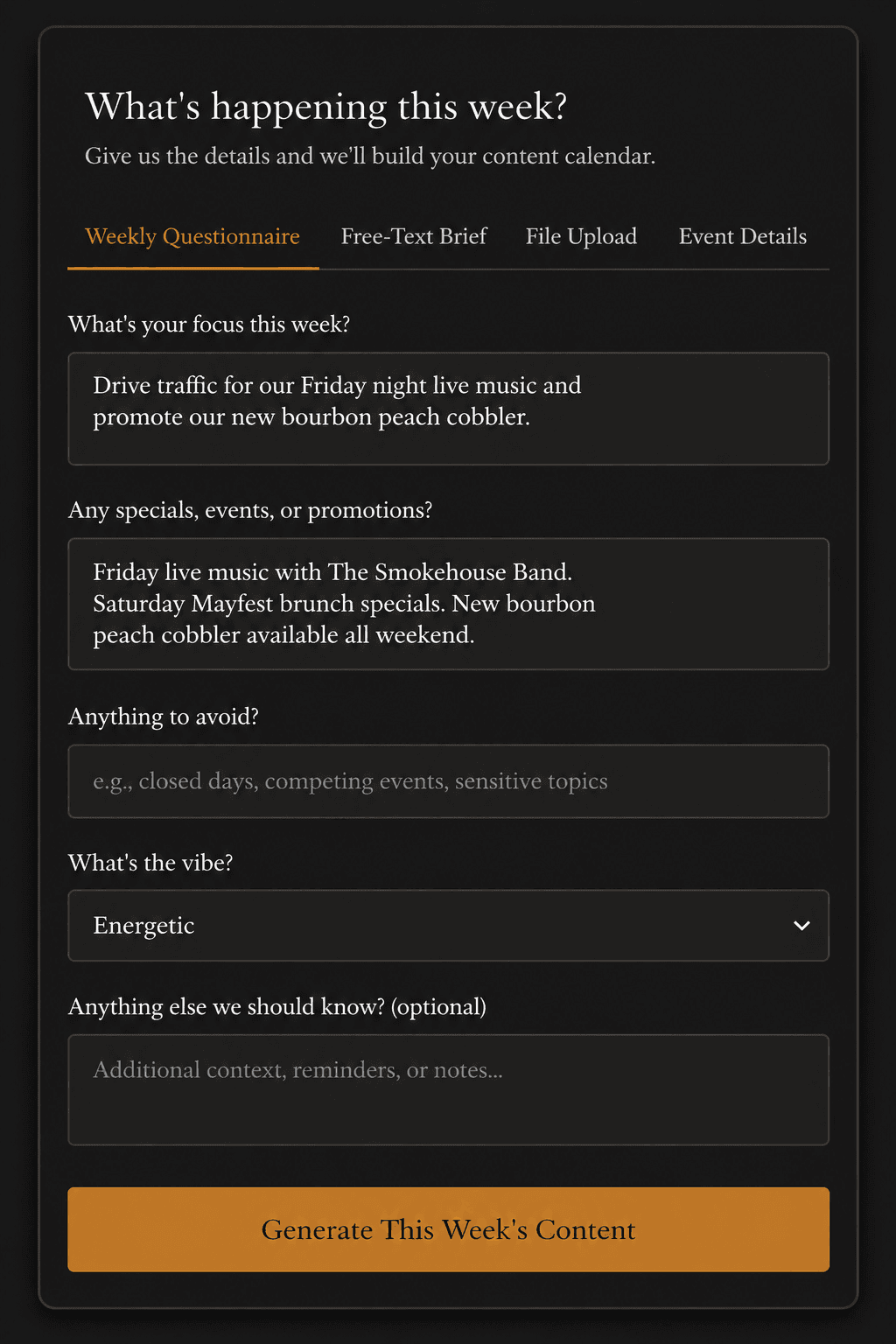
Open the questionnaire on Monday morning. Five quick questions, two minutes.
We build your content
Dispatch writes Facebook and Instagram posts in your business's voice, generates a custom image for each one, and slots the whole week into a calendar. Captions, hashtags, image, schedule. All of it.
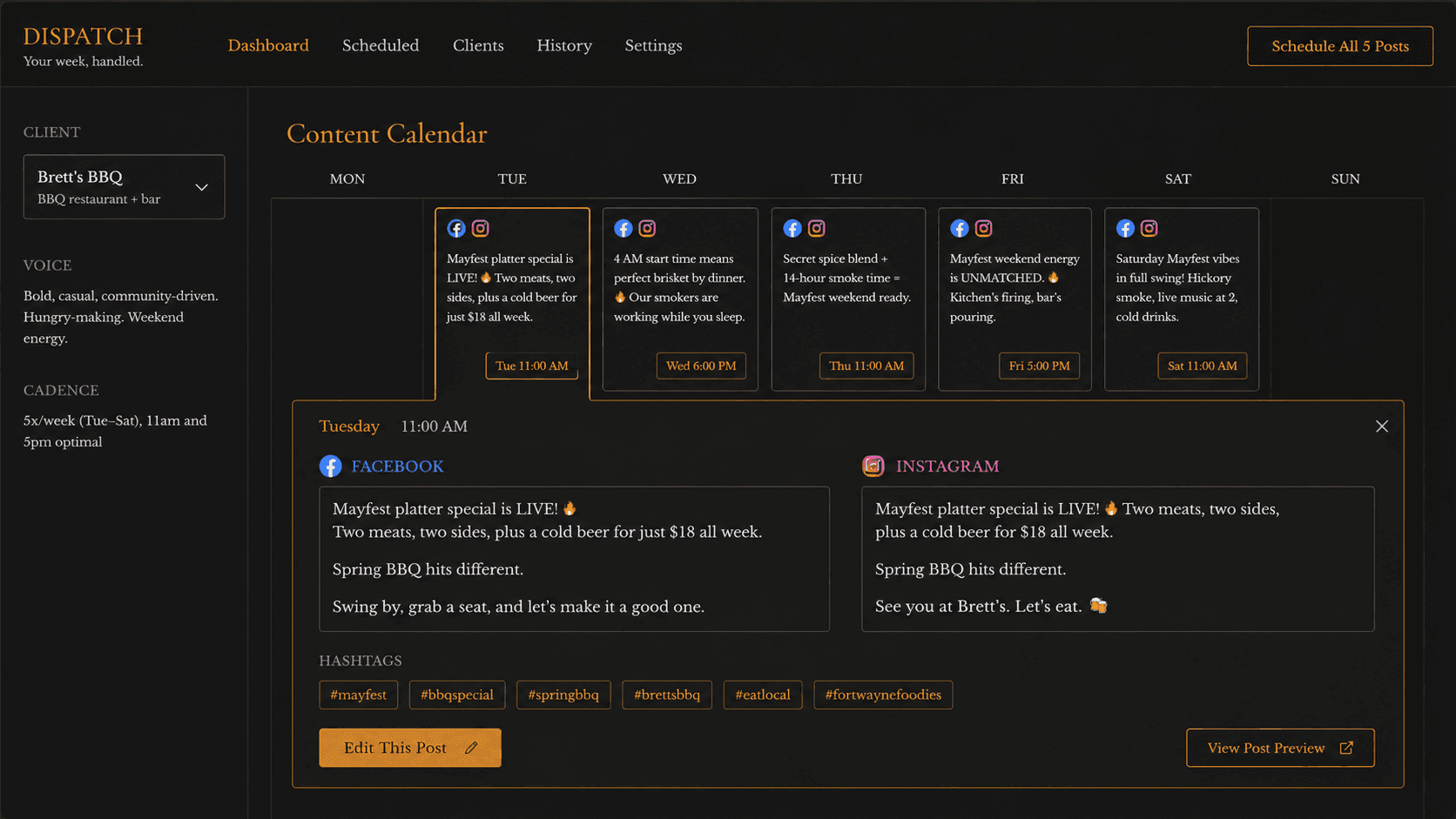
Captions, images, hashtags, schedule. Slotted into a single weekly view.
Posts go out on schedule
Review the week in one screen. Edit anything you want, regenerate anything you don't. One click and the queue is locked in. Posts publish themselves all week. Come back next Monday and do it again.
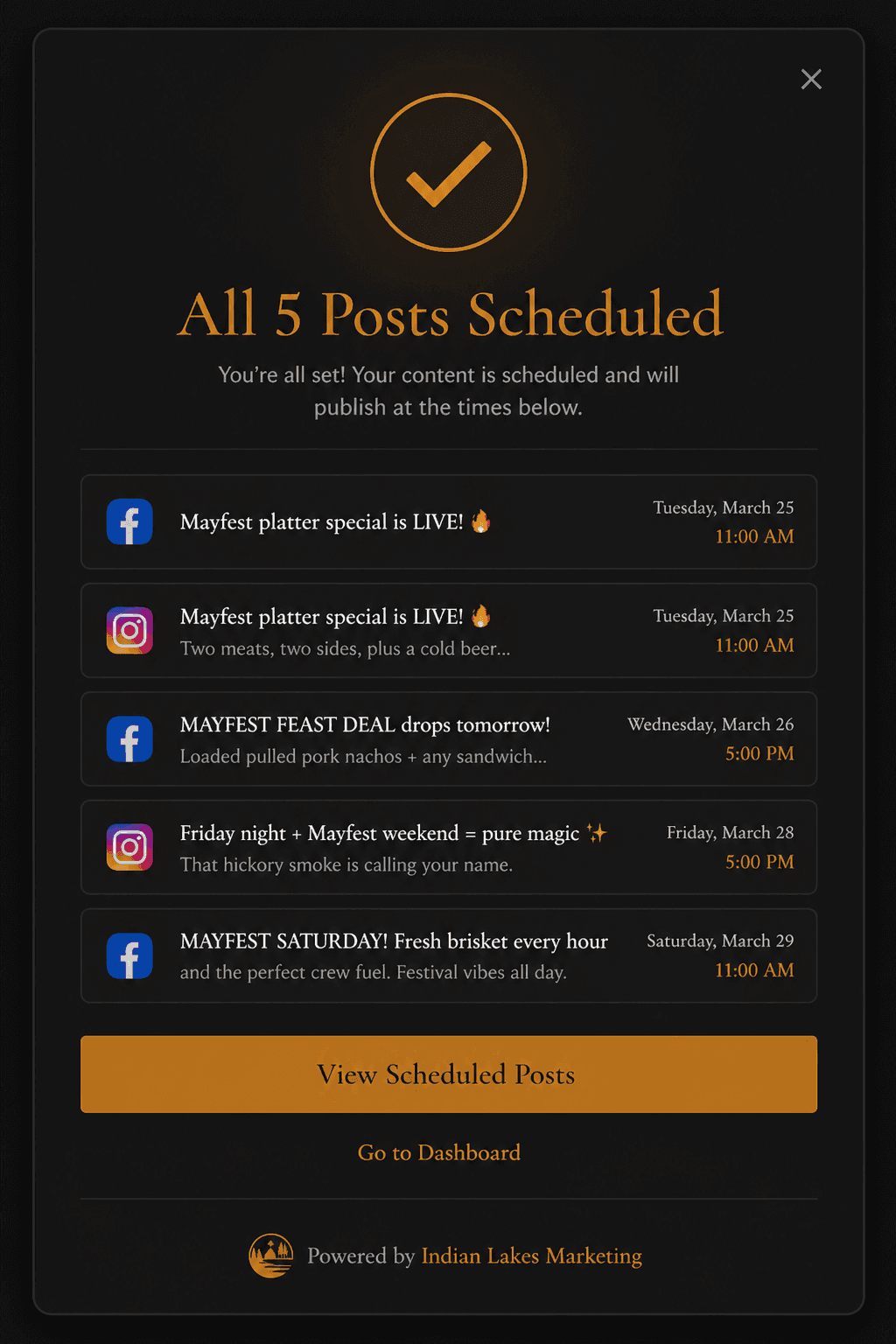
One click, the queue is locked in. Posts publish themselves all week.
You don't have to write anything if you don't want to.
Pick whichever input feels natural for the week you're having. Mix and match across weeks.
Weekly Questionnaire
The default. Five short prompts that take two minutes. What are you running this week? Any events? Any new arrivals? It's the fastest path to a full week of content.
Free-Text Brief
Already know what you want to say? Type it out in plain language. Dispatch turns your notes into properly formatted, platform-appropriate posts with images.
File Upload
Got a flyer, a menu PDF, a press release? Upload it. Dispatch reads it and writes the posts around it. Works for menus, event posters, sales sheets, vendor announcements.
Event Details
Have something specific coming up? Plug in the date, time, and a few details. Dispatch builds out a multi-post sequence: announcement, reminder, day-of, and recap.
A clean room with the lights on.
Three views, one weekly rhythm. No menus you'll never use. No alerts you'll never read.
Every post you've approved appears in a single weekly view. Day, time, platform, image, caption. You see exactly what's going out and when, before anything publishes.
Each post renders as it'll actually appear on Facebook and Instagram. No surprises. If a caption looks off or an image needs tightening, you catch it here, not after it's live.
Approve a post and it joins the queue. Skip a day, push something to next week, swap two posts around. The schedule is yours to move until the moment it publishes.
FAQ
- Do I need to know anything about social media?
- No. You know your business. Dispatch handles the rest.
- What platforms does it support?
- Facebook and Instagram to start. More coming soon.
- Can I edit the posts before they go out?
- Yes. Every post is editable before scheduling.
- What if I don't like what it generates?
- Regenerate with different inputs or edit directly. You're always in control.
- How does the image generation work?
- Dispatch creates a custom image for each post based on what the copy is about. No stock photos.
See it running.
The live demo is configured for a sample restaurant client. Three quick fields and you're in.